
Improve Your Google Business Profile to Rank Higher on Google and Get More Customers
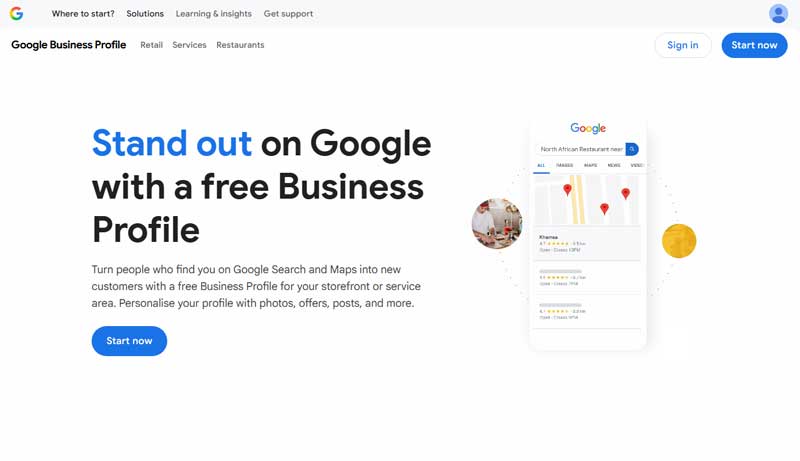
Today, a Google Business Profile (GBP) is often the first thing people see in search results. If your business does not have one, it’s almost as if it doesn’t exist in Google’s search results, Google Maps, or Google’s AI results. The biggest reason to improve your Google Business Profile? Getting found, in every way possible, especially in local searches. Not sure what a GBP is, where to find yours, or how to set it up? We’ll fill you in.
What is a Google Business Profile?
Your Google Business Profile shares key details about your business, like your hours, products, services, and special offers. When someone searches for businesses like yours, Google pulls from its search results and related GBPs that match what they typed. A well-built GBP will help a business rank high in Google Search and Google Maps results.Why Improve Your Google Business Profile
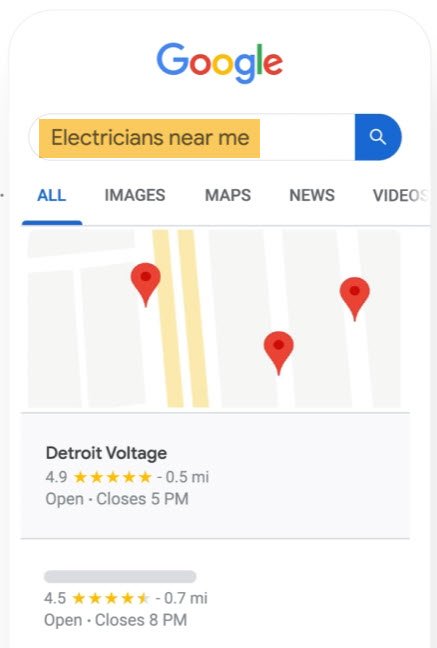
Google has always ranked sites based on many factors, even before the Google Business Profile existed. Now, not only is a company’s GBP a new ranking factor, it’s a HUGE factor, especially for local businesses. So you’ve got to make sure that it’s built well and is working for you, not against you. If your profile is incomplete, wrong, or missing, you aren’t just losing a click; you’re handing a lead to a competitor. Gemini, Google’s AI system, now summarizes a business’s services right in the search results, with much of the information coming from your GBP, including details about your:- Business Categories
- Services
- Business descriptions
- Hours of operation
- Photos
- Reviews
- Q&A
- Posts and links to your site
The more complete your GBP is, the more data Google has to work with, and the better your rankings. This alone is enough to improve your Google Business Profile.
Finding & Claiming Your Google Business Profile
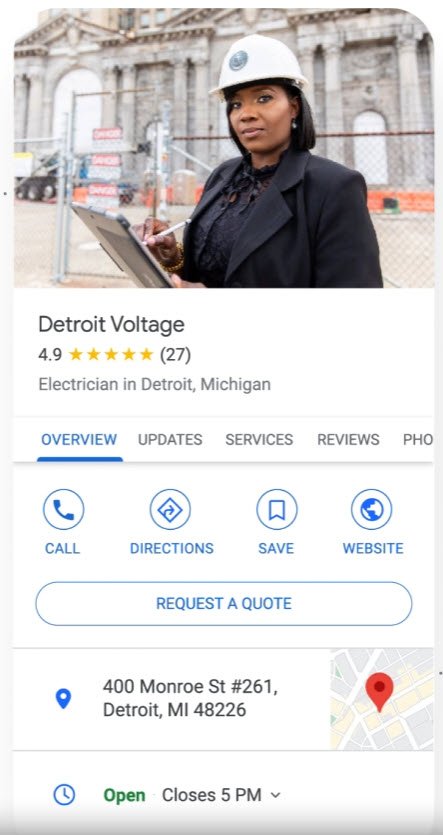
Do you know that you probably have a Google Business Profile, even if you didn’t make it? To check whether one exists, search for your business name and location using a Google search. If you see a box on the right side, like the one shown on this page, that’s your GBP. If you see it, look for a small link that says “Own this business?” or “Claim this business.” Click it to start the process. (In the photo to the right, you can see we already own and manage this GBP)
If you don’t see your business, visit the Google Business Profile gateway and select “Add your business to Google.”
Why is Claiming or Creating Your GBP Important?
Claiming your GBP proves you are the real owner. Claiming your GBP stops competitors or random users from changing your information, either by accident, incorrectly, or maliciously.
Video Verification of your Google Business Profile
To prove your business is real, Google will ask you to complete a Video Verification. It’s a quick, one-time task on your smartphone and the single most important step to getting your business verified and visible to the public. Without it, Google won’t treat your business as “real.”
Google typically looks for three things in one continuous recording:
- Your Location: Your street sign or nearby landmarks.
- Your Business: Your storefront, signage, or branded vehicle.
- Your Authority: Video of you unlocking the front door of your business, showing a business license, or entering a “staff only” area.
NAP Time: Keep Your Name, Address, and Phone Number Consistent
To do well in local search, your business Name, Address, and Phone Number (called NAP) must match across all online listings. Mismatched NAP details can hurt your rankings.
For example, if your GBP shows your address as “Main St. Suite 100” but your Facebook page says “Main Street #100,” Google could treat them as two different places, which can hurt your search ranking. And if you’ve got a new business address showing on Yelp but your old one on your GBP, that’s an even bigger problem. Small details like this add up, and getting them right will help improve your Google Business Profile.
Pro Tip: NAP is very important! Make sure your Name, Address, and Phone Number are consistent across every website where your company has a listing. That includes your Facebook business page, Yelp page, Bing Places for Business, and other sites, including industry-specific directories like SuperLawyers, Houzz, ZocDoc, and others, as appropriate for your business type. Even the address on your website matters. Your NAP should be identical everywhere.
Selecting GBP Categories
When you begin to set up your profile, Google asks you to select your business’s Primary Category. This is the most important choice you’ll make. For example, if you are a “Residential Roofer,” don’t just pick “Contractor.” Choose the exact roofing category to ensure you show up when someone has a residential roofing need.
Pro Tip: You can also add Secondary Categories. If you are a Pizza Restaurant (Primary) that also offers Catering (Secondary), Pizza Delivery (Secondary), and is also an Italian Restaurant (Secondary), then list them all so you show up in all those types of searches. You can list up to 9 secondary categories, so make sure you add all that apply to your business.
Make Your Business Description Standout
Your Business Description is also a vital part of your GBP. Best practices recommend writing a 750-character, honest and relevant description of your business in your voice.
The description should highlight your main products or services (using the exact business category names above), what sets you apart, and your location. Use the first 250 characters to grab readers’ attention because that is all that Google displays in search results without clicking “More.” And, finally, avoid overuse of keywords, excessive promotion, and unusual text styles such as ALL CAPS.
Always write in your natural voice or brand style. Use normal, conversational language in your business, product, and service descriptions. Don’t keyword-stuff or paste in unedited AI content, as both hurt the image you’re trying to build.
The Small Details That Help Win in Niche Search Results
Business Attributes are the small icons that appear on your profile, such as “Veteran-led,” “Woman-owned,” or “Wheelchair accessible.”
Many people now search for things like “dog-friendly cafes” or “restaurants with outdoor seating.” Checking the right attributes helps you show up for those searches. And, if your competitors are skimping here, you’ll rank higher!
Use Real Photos and Videos
You’ve set up your GBP to help people find you. Now it’s time to get them to choose you. Real photos and videos of your business make a big difference. Skip the stock photos; today’s customers want to see the real thing: photos of the staff behind the counter, putting toppings on the pizza, that delicious, hot, bubbling pizza, a picture of the smiling delivery driver with a stack of pizza boxes… and so on. Use a mix of exterior and interior shots, along with videos of your team working with customers.
Pro Tip: Photos taken on mobile phones are geotagged, which means the location where they were taken is stored in the photo, and Google can read these tags. So take your own photos at your location to post to your Google Business Profile, and even ask your customers to post the photos they took at your place of business. All of this goes towards establishing the legitimacy of your business.
Ask for and Respond to Reviews
Ask for reviews and reply to them! Reviews are your digital word of mouth, and business owners want plenty of good ones. But many forget the most important part: replying. It might surprise you, but a string of positive reviews with no responses can actually work against you. Thank happy customers right away, and answer bad reviews calmly and professionally. Both build trust between you and your customers.
NOTE: You cannot offer incentives (discounts or payments), make a bulk solicitation, or ask only for positive/five-star reviews. You’re better off sending a direct link to satisfied customers asking for honest feedback. Make it part of your normal business activities.
Post to your Google Business Profile
Most people do not know that you can post to your Google Business Profile as you can to any other social media. Share updates, offers, or new products right on the search results page. When someone finds you on Maps, they see your latest news right away. Posting once or twice a week also signals to Google that your business is active.
Be the First to Answer Customer Questions
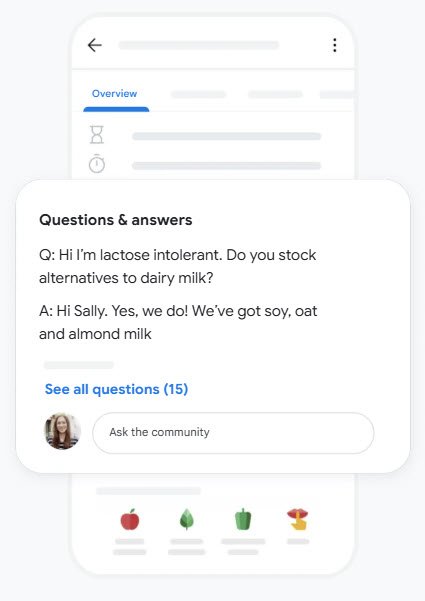
The Q&A section is one of the most overlooked tools in the GBP dashboard. Anyone can ask a question, and anyone can answer it. You want someone from your business answering these questions, not an uninformed person or competitor. So, check this section often and answer the questions the right way, yours.
Pro Tip: Consider adding the questions and answers to your website’s FAQ section as well. It makes for good website content.
Ready to improve your Google Business Profile?
If you follow these tips, your rankings are sure to rise in a short amount of time…especially if your competitors are unaware of the importance of their Google Business Profile. We know that your time is best spent serving your customers, not managing your Google Business Profile. Whether you need help claiming a lost profile, completing video verification, or maintaining a posting schedule that drives clicks, calls, and visits, we can help.
Contact us online today or call us at 818-592-6370 to help you improve your Google Business Profile and put your business on the Google Map.
News Categories
Categories
Schedule Your Free Consultation
We’re experts at building websites that will Rank High and Sell More to your target market, no matter what business you’re in.
Curious? Let’s talk. Schedule your Free Mutual Evaluation Consultation now.
Related News


Let's Talk About A Website For Your Specialty Or Technical Business
Talk with us about building a website for your specialty or technical business. There’s really no better choice.
